Enter the password to continue
Autodesk Fusion post processing, machine intelligence, and production monitoring — built by a machinist who runs every job from quote to shipment.
“Automation starts with the post — be up and running in days, not months or years.”
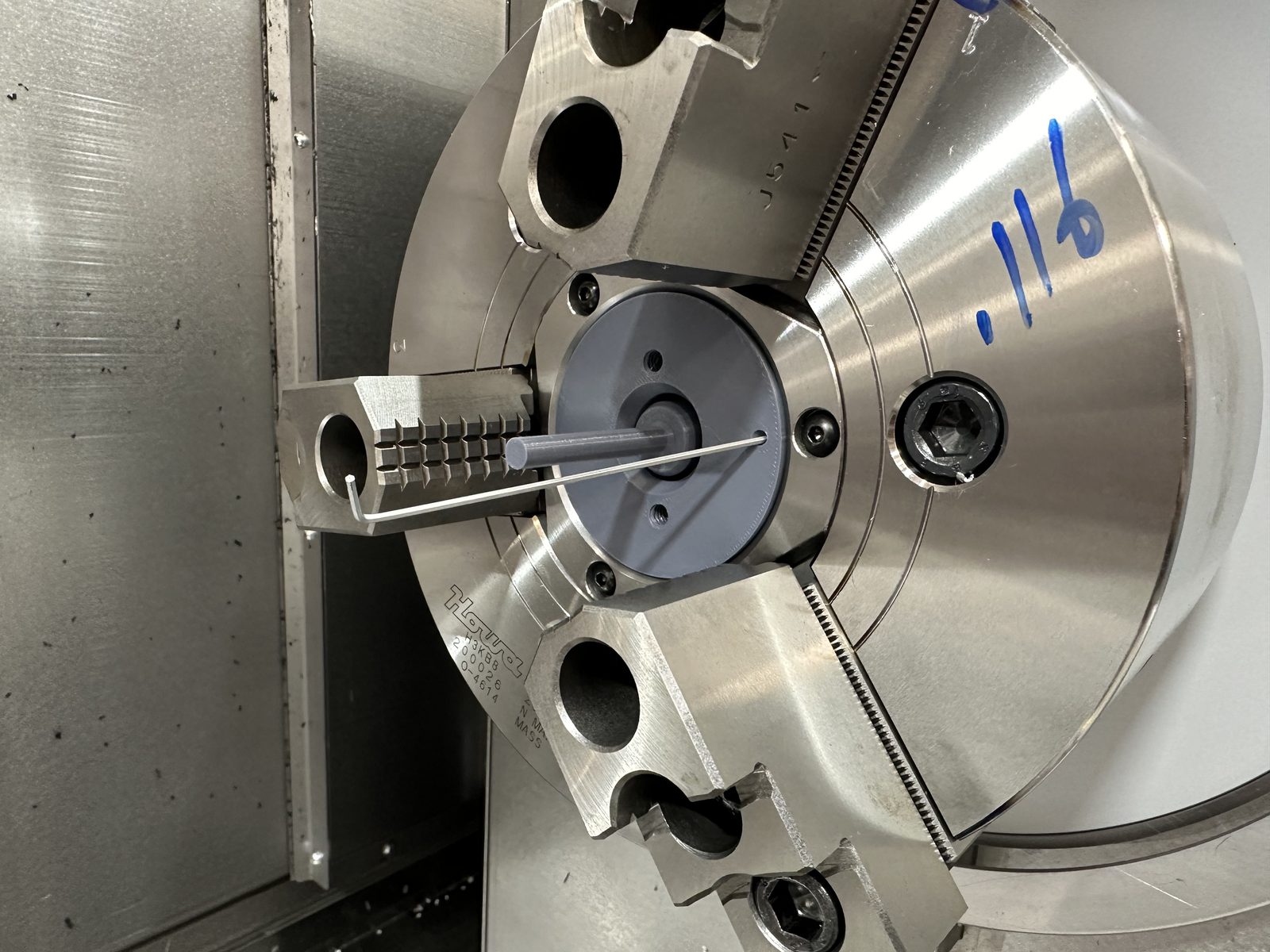
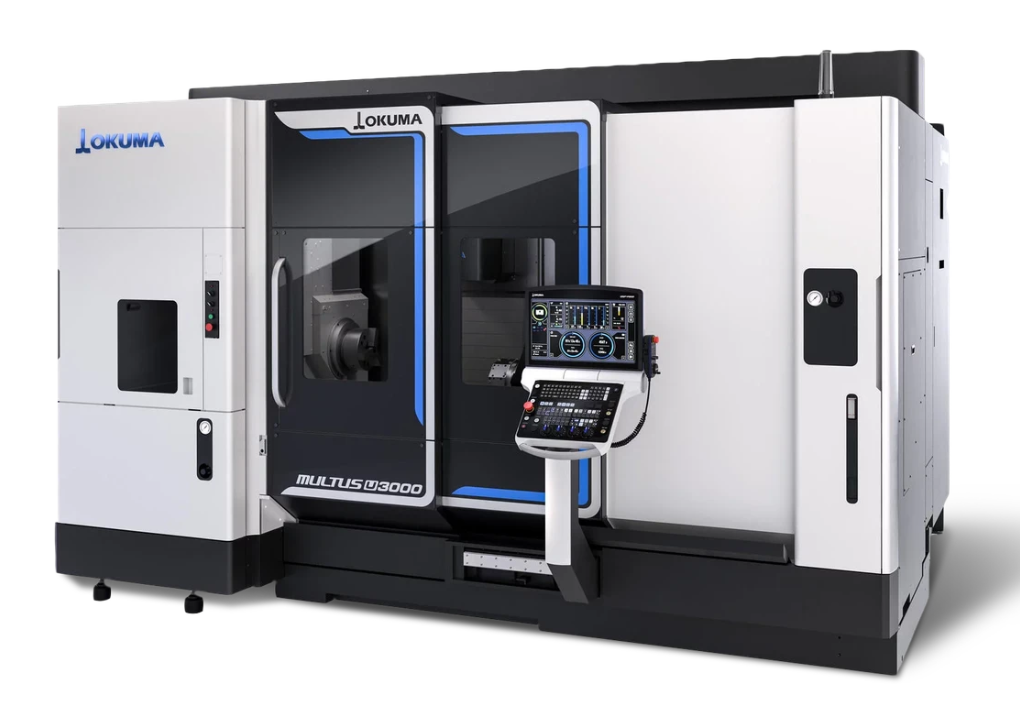
Okuma Multus U-series — The Machine Behind the Software
Product Suite
Close the loop between Autodesk Fusion, your Okuma, and your production data.
A custom post processor built for Autodesk Fusion — posting directly to the Okuma Multus U-series with full probing and inspection baked in.
Read, visualize, and map your Okuma's VC variables with a color-coded heatmap and region map.
Track bar stock usage and monitor production in real time from anywhere.
Fast, error-free tool measurement that catches breakage before it causes a chain reaction of crashes.
Pneumatic workpiece ejection with M-code control and proximity switch confirmation — available on request.
Post Processor Capabilities
One post processor covers the full range of Multus U-series operations. No manual G-code editing, no patching together multiple posts.
Full turning operations on both main and sub spindle with automatic spindle selection and handoff.
Simultaneous 5-axis milling on both main and sub spindle — positioned and continuous, live tooling included.
Automated part transfer between main and sub spindle — machine the front, transfer, and finish the back in one setup.
BK Micro tool break detection integrated into the post — catch a broken tool before it damages your part or machine.
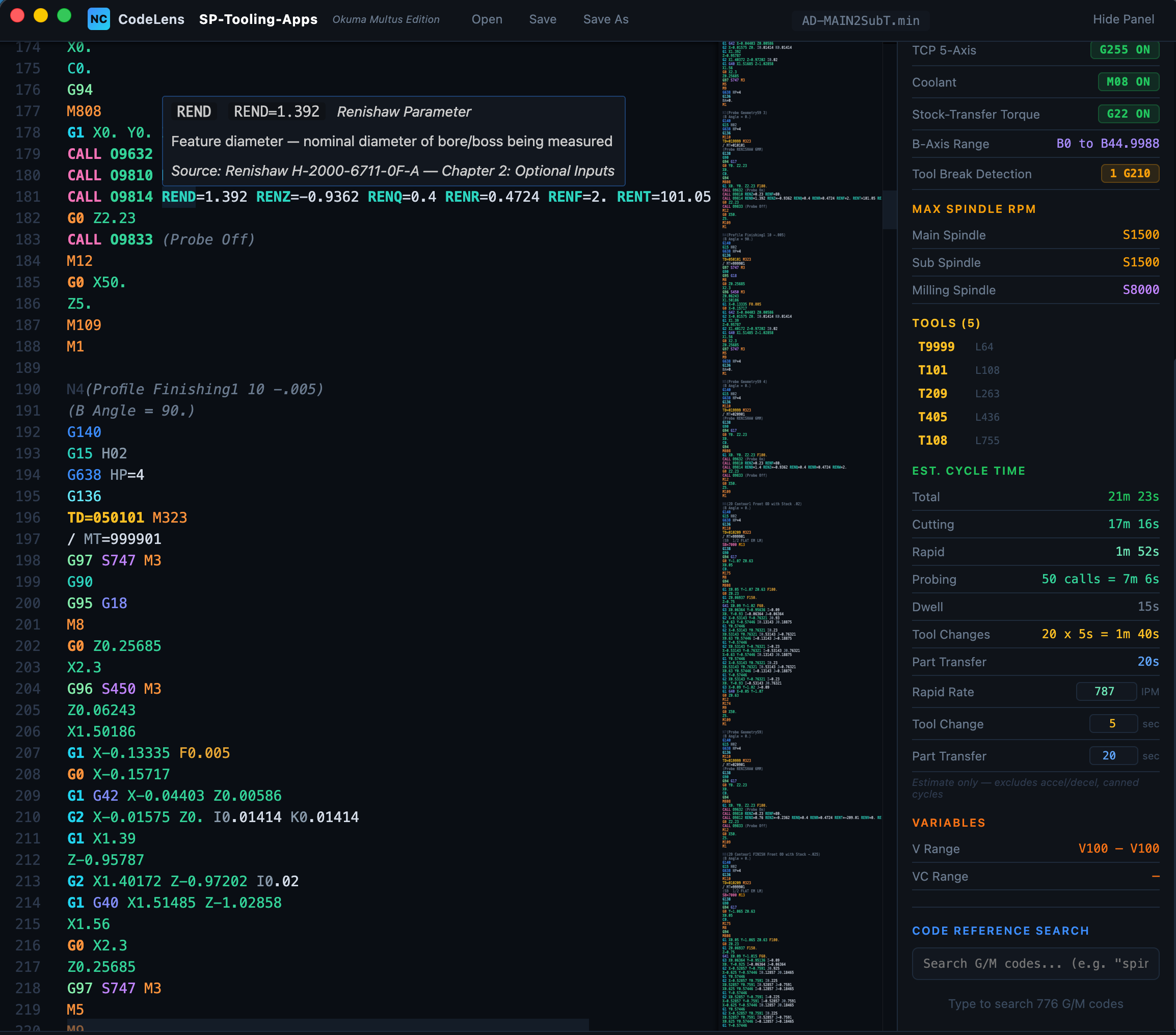
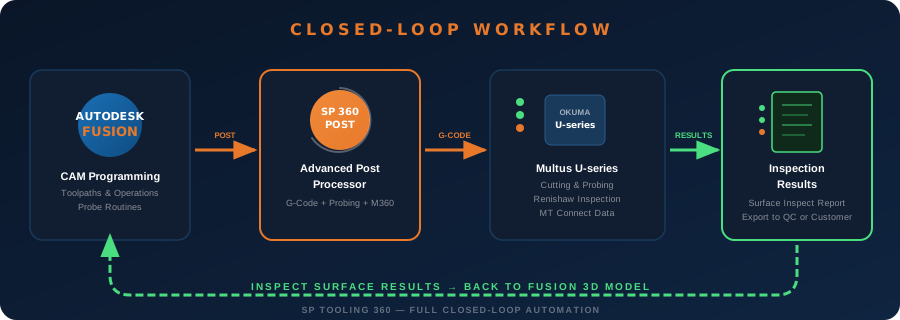
Full Renishaw inspection probing cycles posted directly from Fusion — measure features, log results, and generate reports.
Probe to establish and update work coordinate systems — align your part automatically before cutting.
In-process measurement with automatic cutter wear offset adjustment — rough, measure, compensate, finish to final size.
Same closed-loop process for milling — probe, measure deviation, adjust cutter compensation, and recut to hit your tolerance.
Renishaw probe-based surface inspection posted from Fusion — results imported back and projected onto the 3D model for visual deviation analysis.
Developed in conjunction with Gosiger AE, M360 is a custom macro that fully resets and recovers the Multus U-series with a 95% success rate — no operator input required.
Resetting a multitask machine is time-intensive and requires deep knowledge — homing Y and X axes, resetting B axis, restaging tools, and more. M360 handles it all automatically, and the post processor calls it to get the machine back to cutting parts as fast as possible. Exception: tool magazine issues cannot be handled yet, as this is a PLC-level problem.
How It Works
Two diagrams that show exactly how our post processor fits into the Fusion 360 → CNC workflow, and how the closed-loop cutter compensation and wear adjustment process works automatically.
Okuma Multus Series · OSP-P500 · SP-Tooling-Apps
Advanced Probing Workflow · Okuma Multus Series · SP-Tooling-Apps
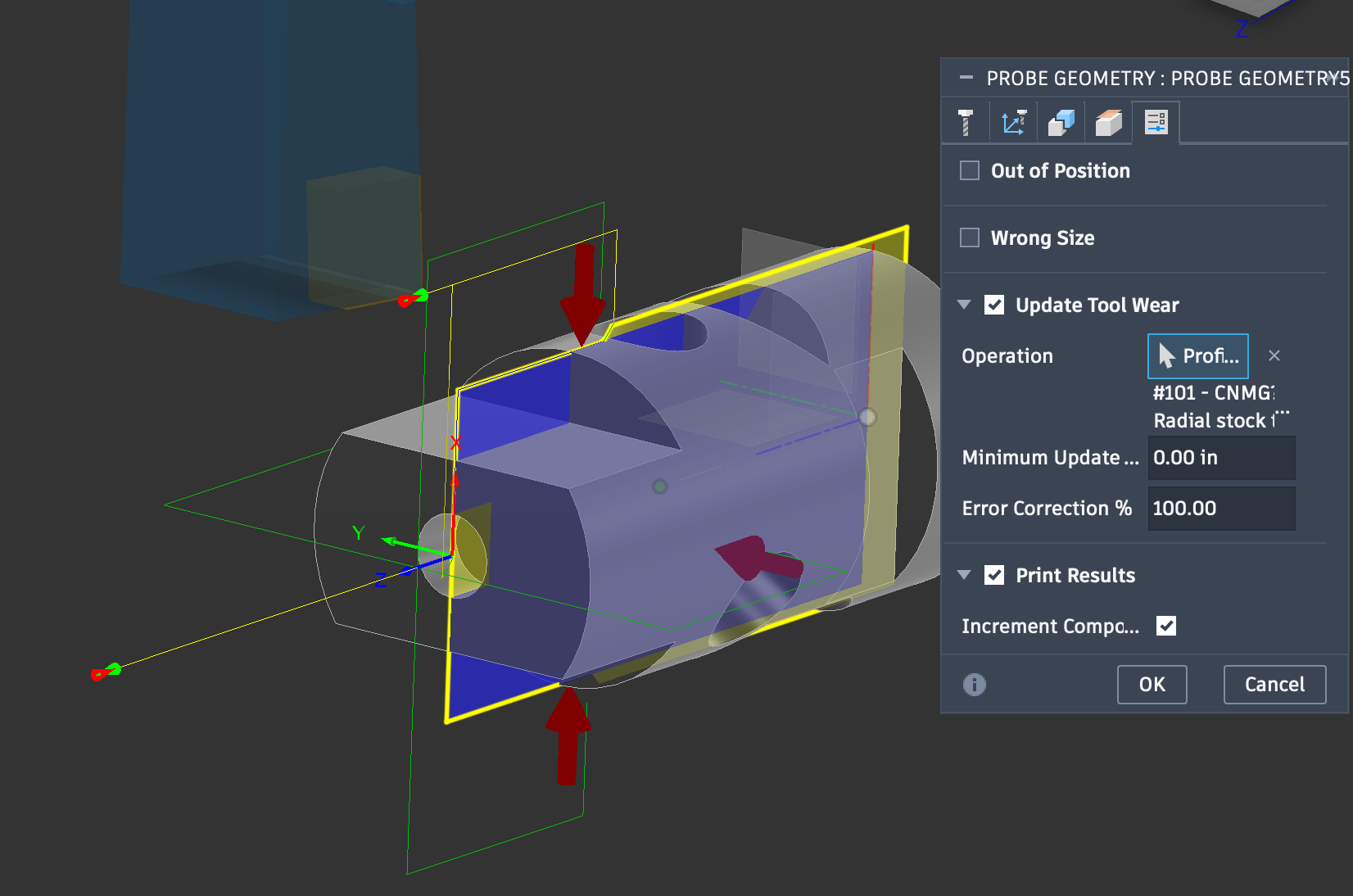
Fusion 360 Probe Geometry — Update Tool Wear with 3D part model and probing vectors
Inspection Reporting
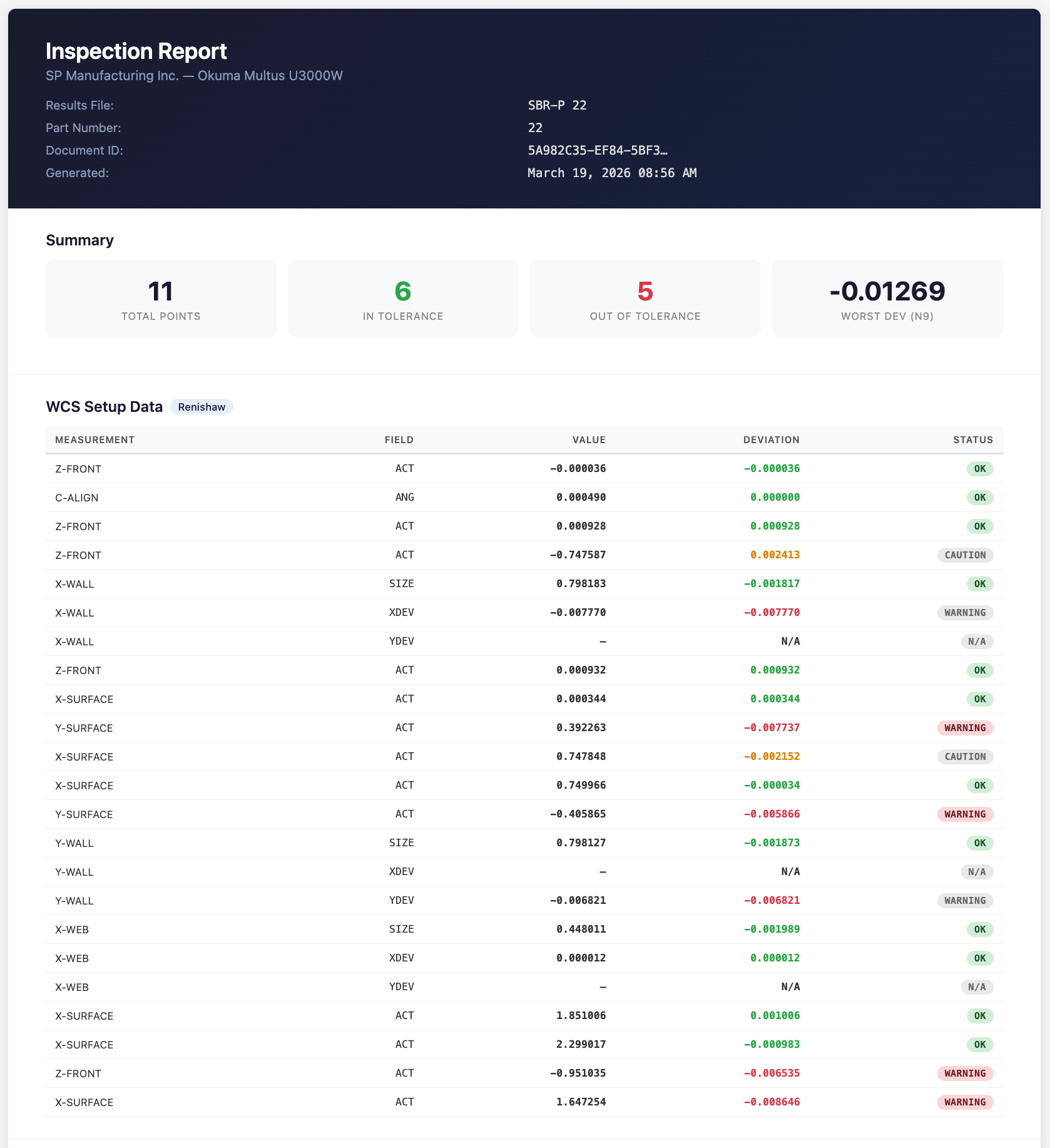
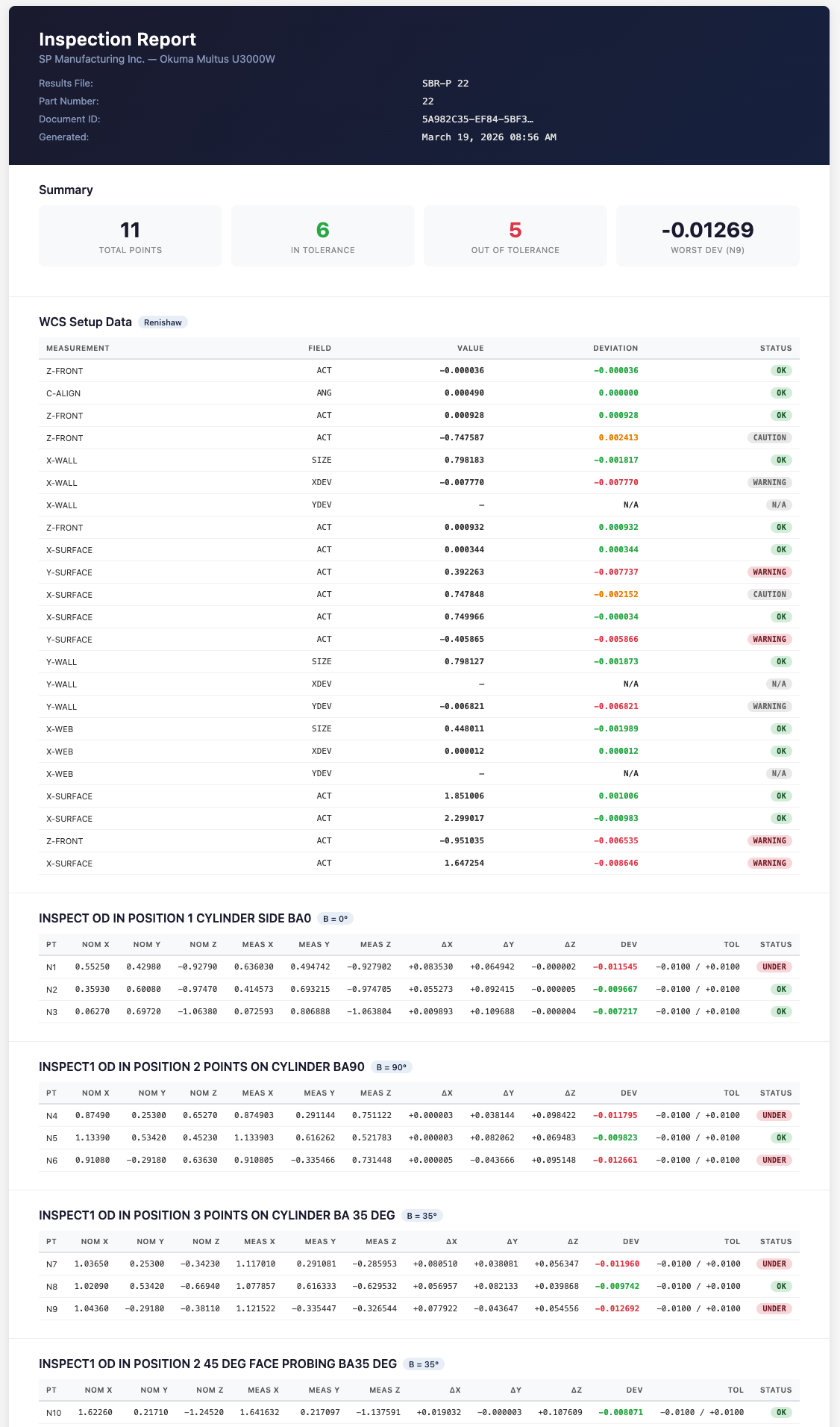
Renishaw probing cycles and Inspect Surface data flow straight from Autodesk Fusion to your Multus — no external software, no manual G-code. Every result lands on a single inspection report, mapped to part number and counting sequence.
Every probing point reported with actual values, deviations, and pass/fail status — Z-front, X-wall, Y-surface, and more. Color-coded OK, warning, and caution at a glance.
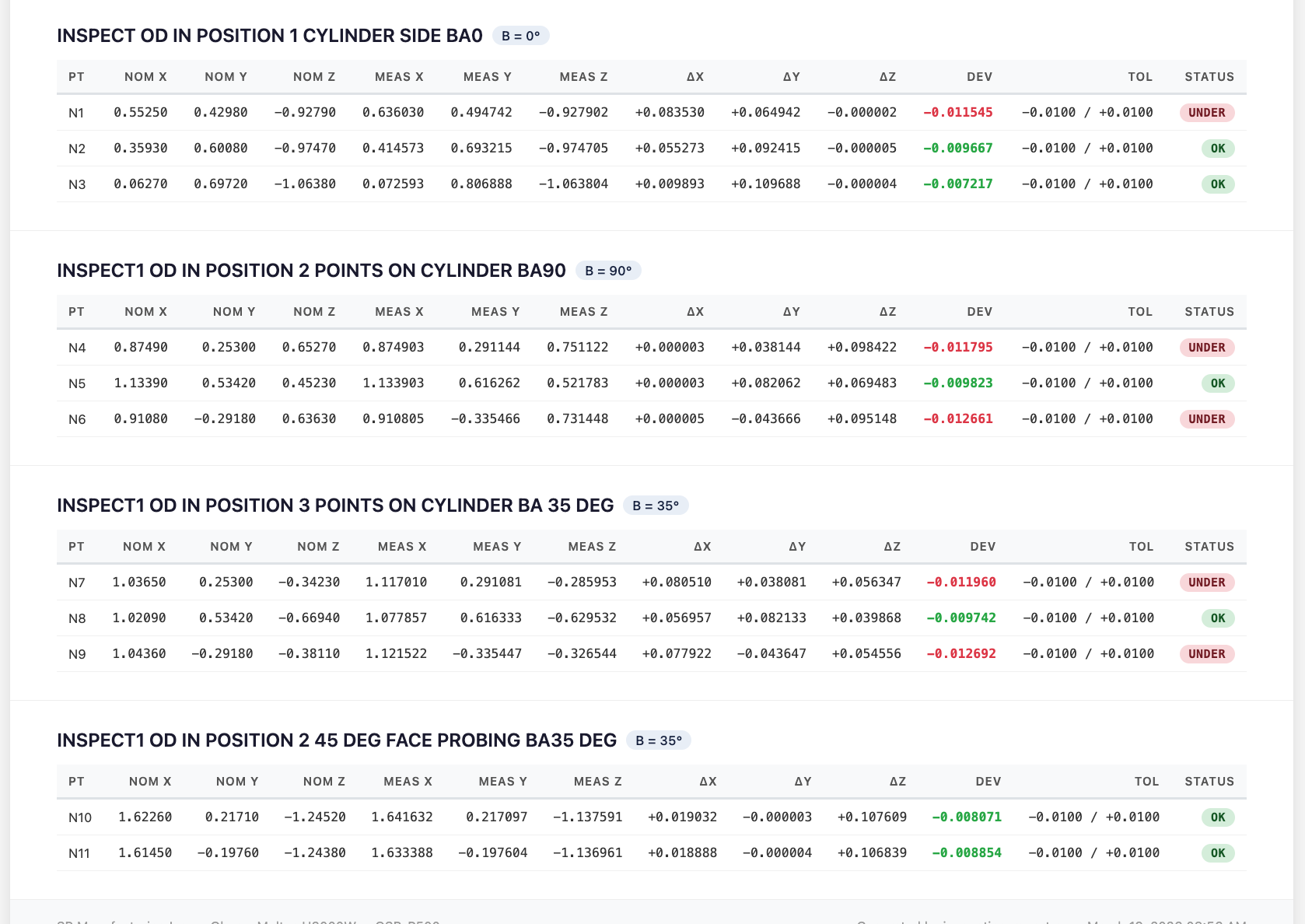
Fusion Inspect Surface output with OD measurements at multiple B-axis positions — cylinder probing at 0°, 90°, and 35° with nominal vs. actual comparison.
Everything on one report — Renishaw probing and surface inspection results together, tied to part number and counting sequence. One report, complete traceability.
See the Renishaw probing cycle simulated in Fusion 360 before posting the G-code to your Multus — verify every touch point before it hits the machine.
Probe to align the part and update work offsets, rough turn the OD, measure it, adjust cutter wear offset, recut to final dimension and verify — then the same closed-loop process for milling with cutter comp. All simulated in Fusion before posting G-code.
Import your probing results back into Fusion via the inspection post and see surface deviations projected directly onto the solid model. Instantly visualize where your part is in or out of tolerance — no separate software needed.
Renishaw probing and Fusion Inspect Surface measuring at different B-axis angles — verifying features from multiple orientations and renaming the output file with the correct part number.
Post-to-Part Machining
Every video below was posted directly from Autodesk Fusion using our Advanced Post Processor — no hand editing, no patching. What you see in Fusion is what runs on the machine.
5-Axis Slot with Helical Start Bore
5-Axis Swarf Slot Groove with CAS
Bar Puller with SP Tooling Flange Mount
Large Part Machining with Fan
Long Part Machining Between Spindles
Deburr & Block Size Check
See It In Action
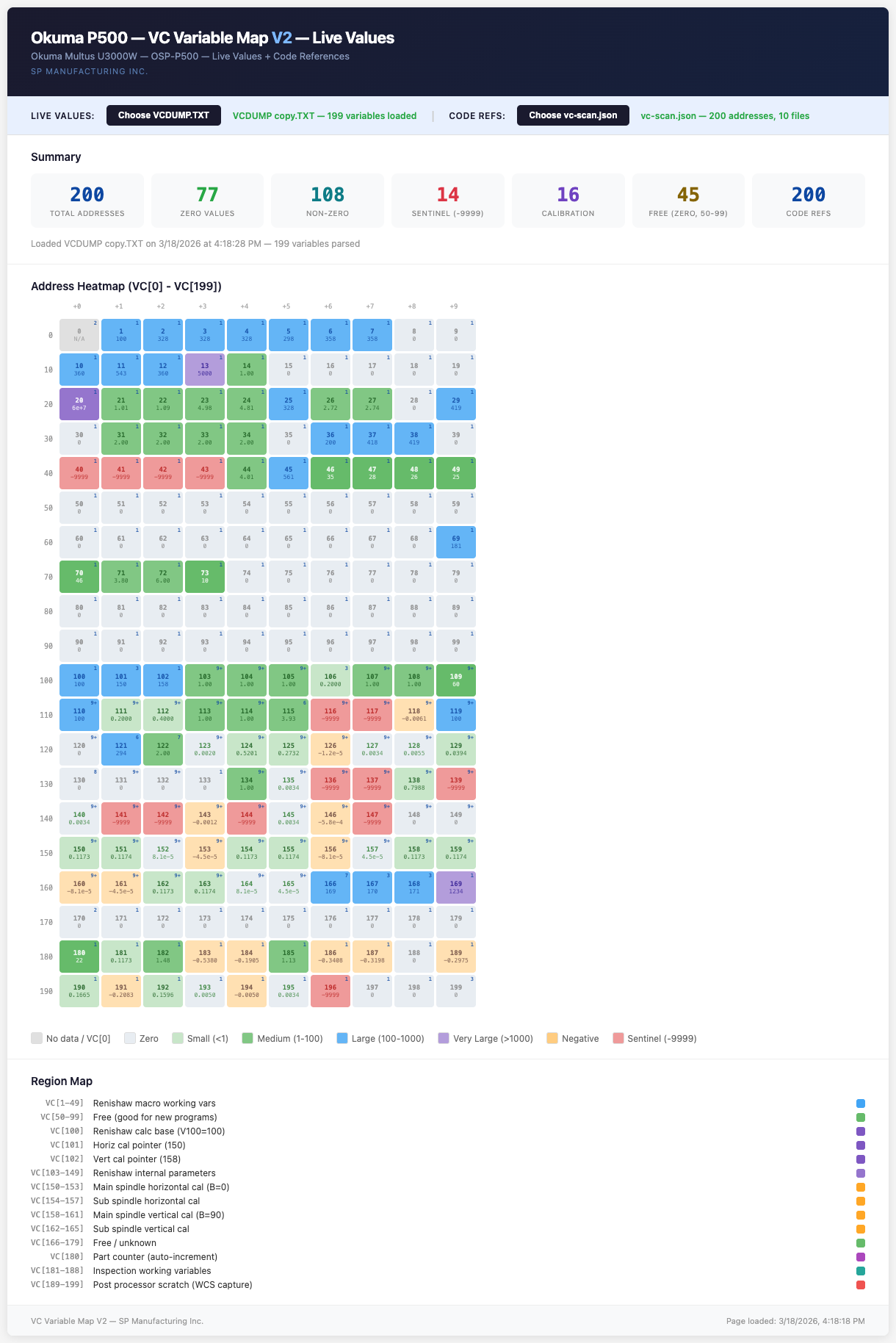
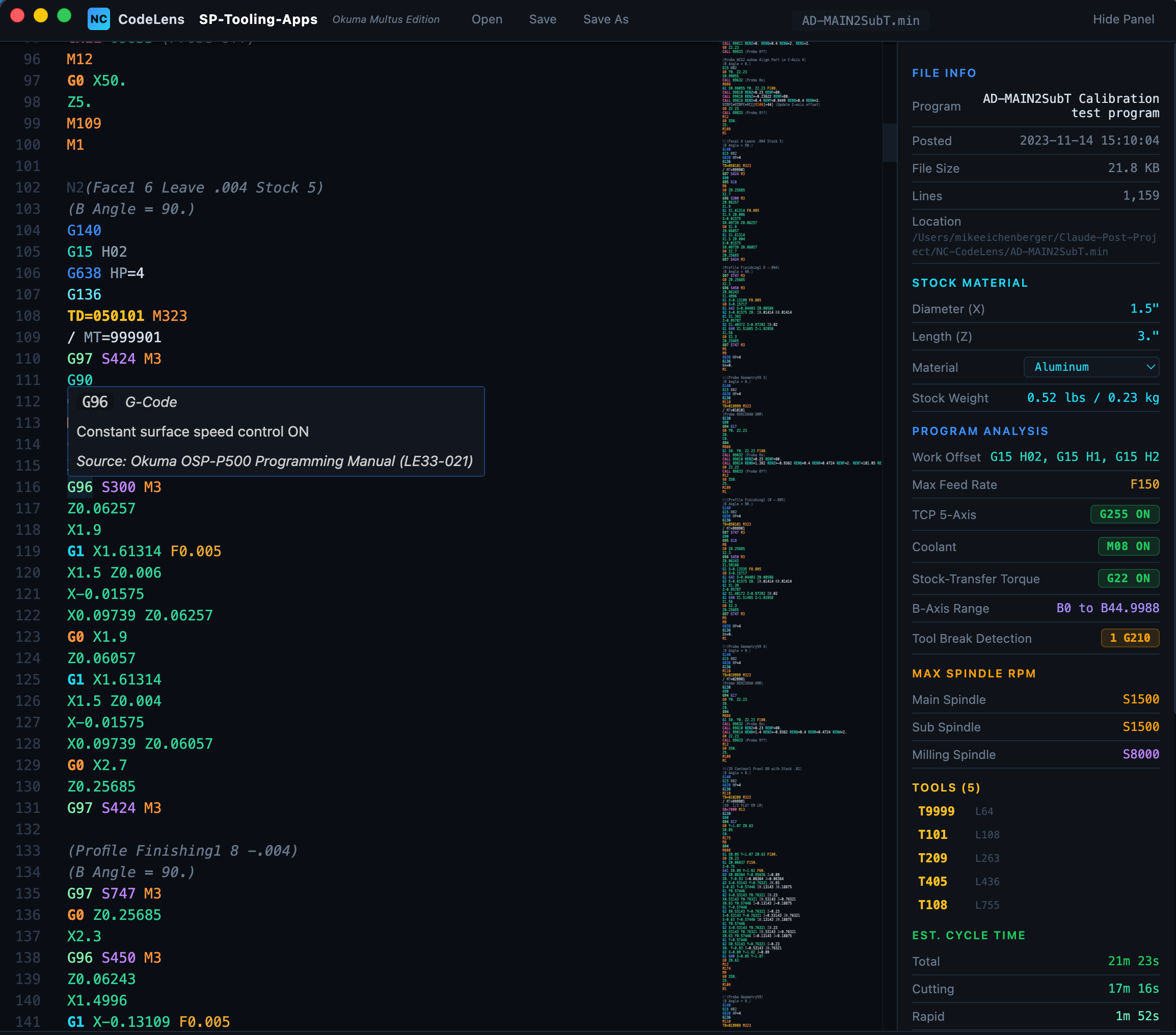
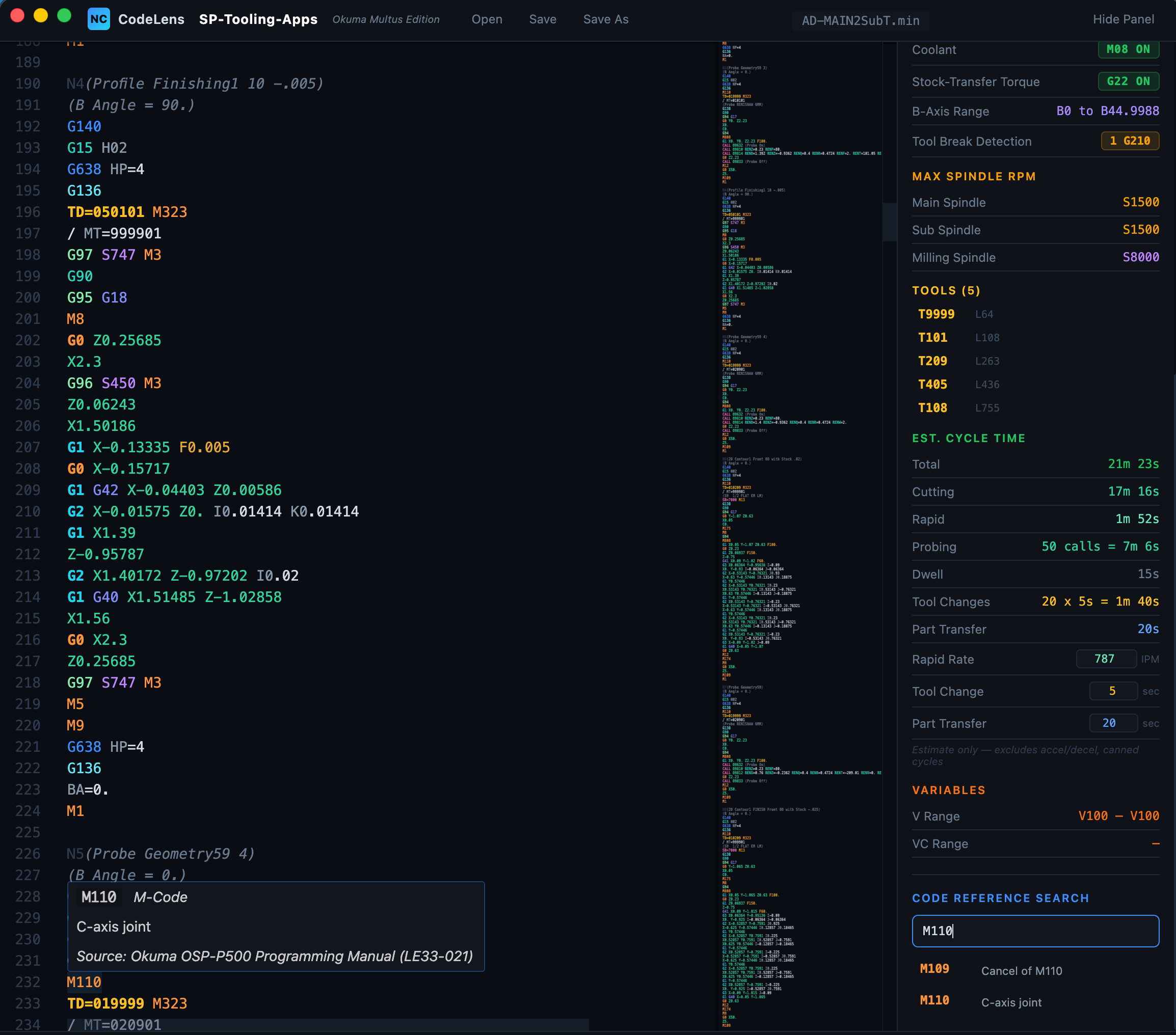
Load a VCDUMP file, scan your code references, and instantly see which variables are active, free, or flagged — all in one view.
200 addresses parsed at a glance — zero values, non-zero, sentinel flags, calibration variables, free addresses, and code references all in one summary bar.
Instantly spot zeros, small values, large values, negatives, and sentinel (-9999) flags across the full variable range.
The complete view — from summary stats through the heatmap down to the region map showing Renishaw, calibration, and inspection address ranges.
BK Micro Tool Break Detection
When selected in Fusion, the BK Micro measures every tool before use — detecting breakage, pullout, or wear instantly. Without it, a broken tool can trigger a chain reaction of crashes and damaged parts before the machine finally overloads and stops. That's a bad day. The BK Micro makes sure it never happens.
Fast, error-free detection on even the smallest tools. Programmable TB values let you set custom alarm distances for each tool.
Eliminates chip and coolant build-up. Keeps the measurement pedal clear and free for reliable readings every time.
Hours spent in the kinematic simulator to find the best position within max travel limits. Maximum B-negative head clearance vs any other configuration.
Tested on our Multus without issues on long production runs and short R&D projects. The only way to walk away from the machine with confidence.
Everything included: custom covers, drill template, wire harness, basic BK controller, and proven macros with G210 call. Optimized for a quick install and maintenance-free lifespan. Sold by Gosiger Sales, installed by Gosiger Service.
Why not laser?
Lasers have cleaning issues, require constant purge air to prevent particle intrusion, are bulky to install, and suffer from chip build-up problems — not a preferred choice for a Multus machine.
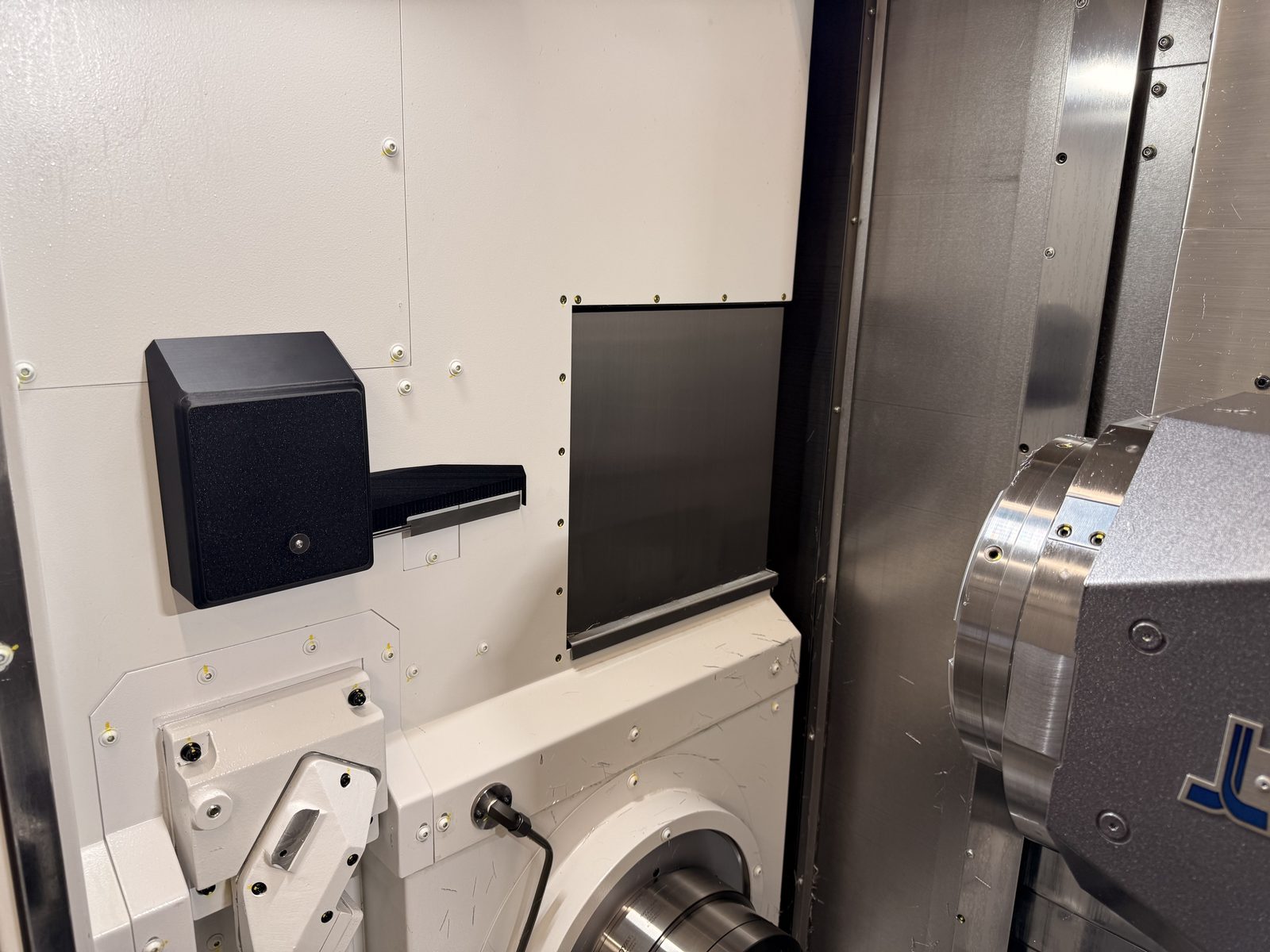
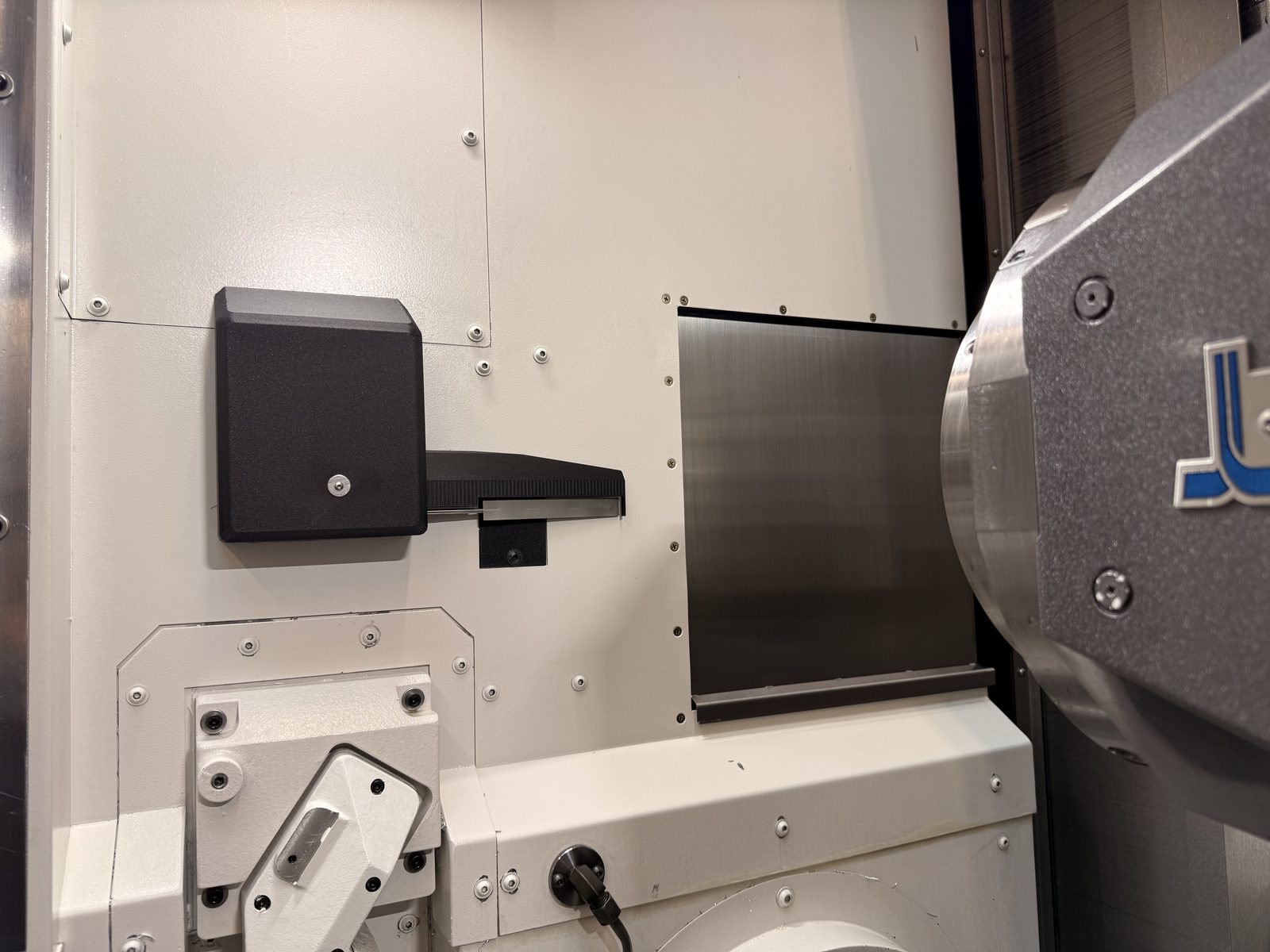
BK Micro installed with custom chip guard cover
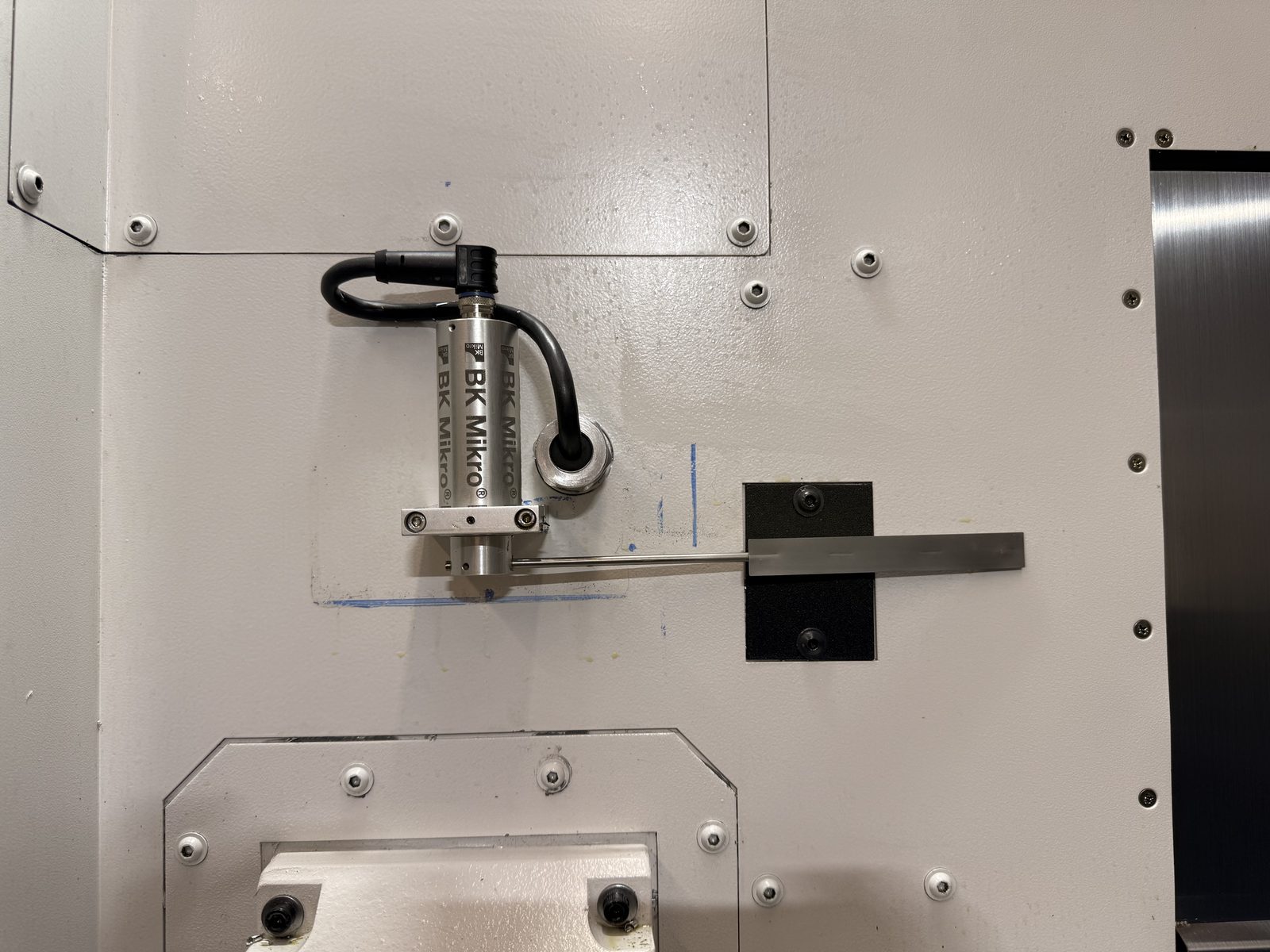
BK Micro sensor and mount — cover removed
Optimal positioning for maximum B-axis head clearance
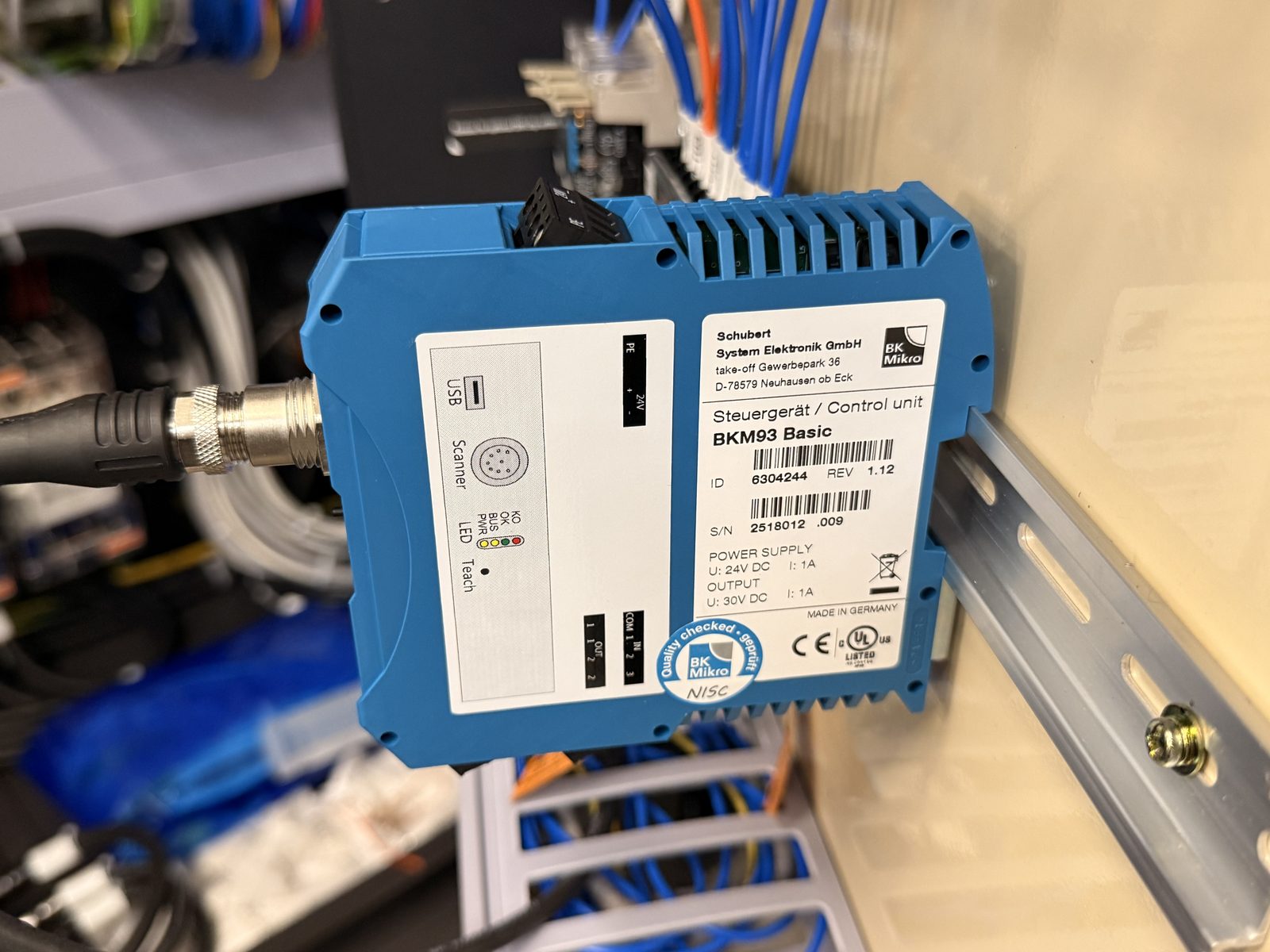
BKM93 Basic controller — included in the Quick Install Kit
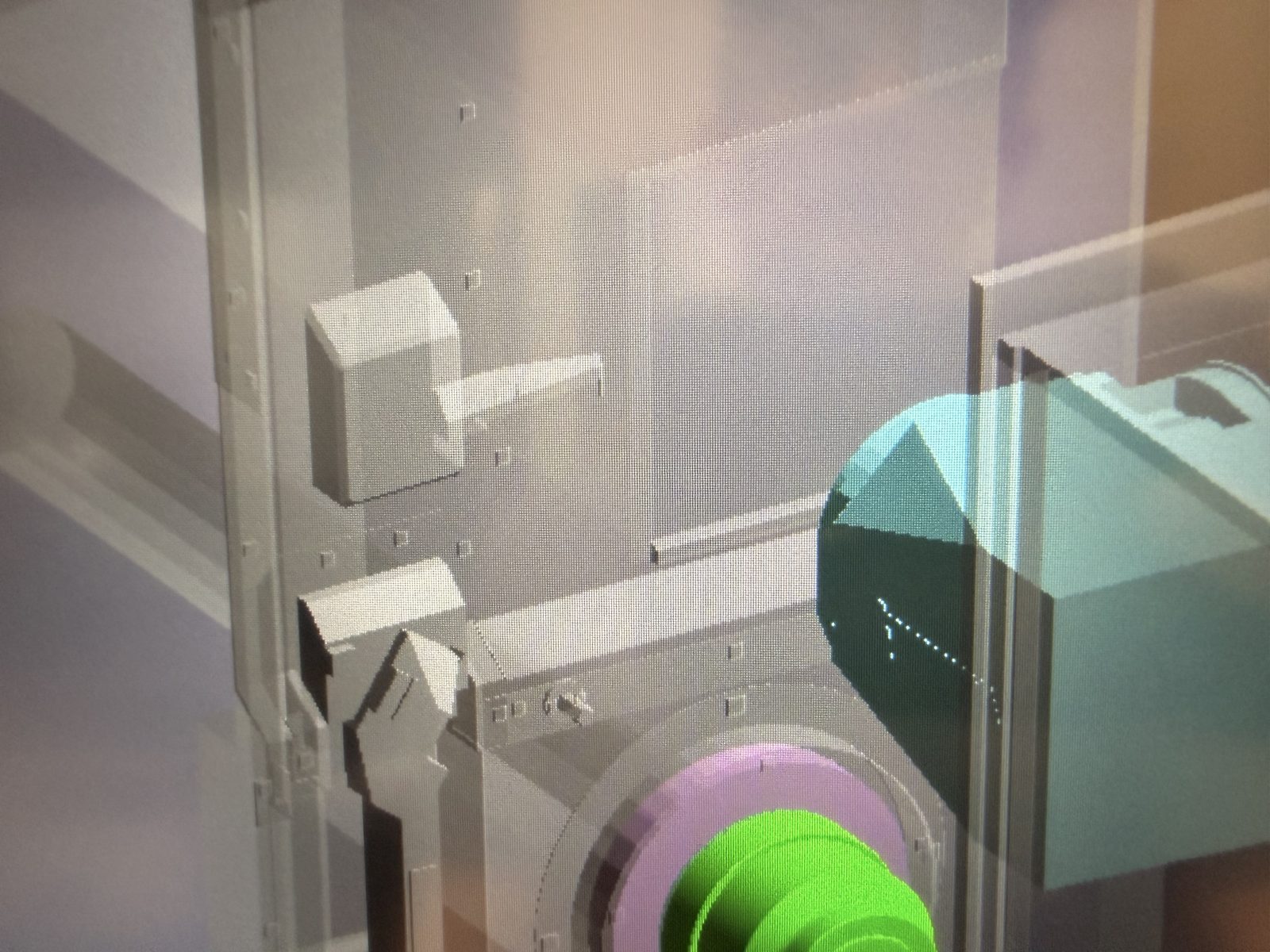
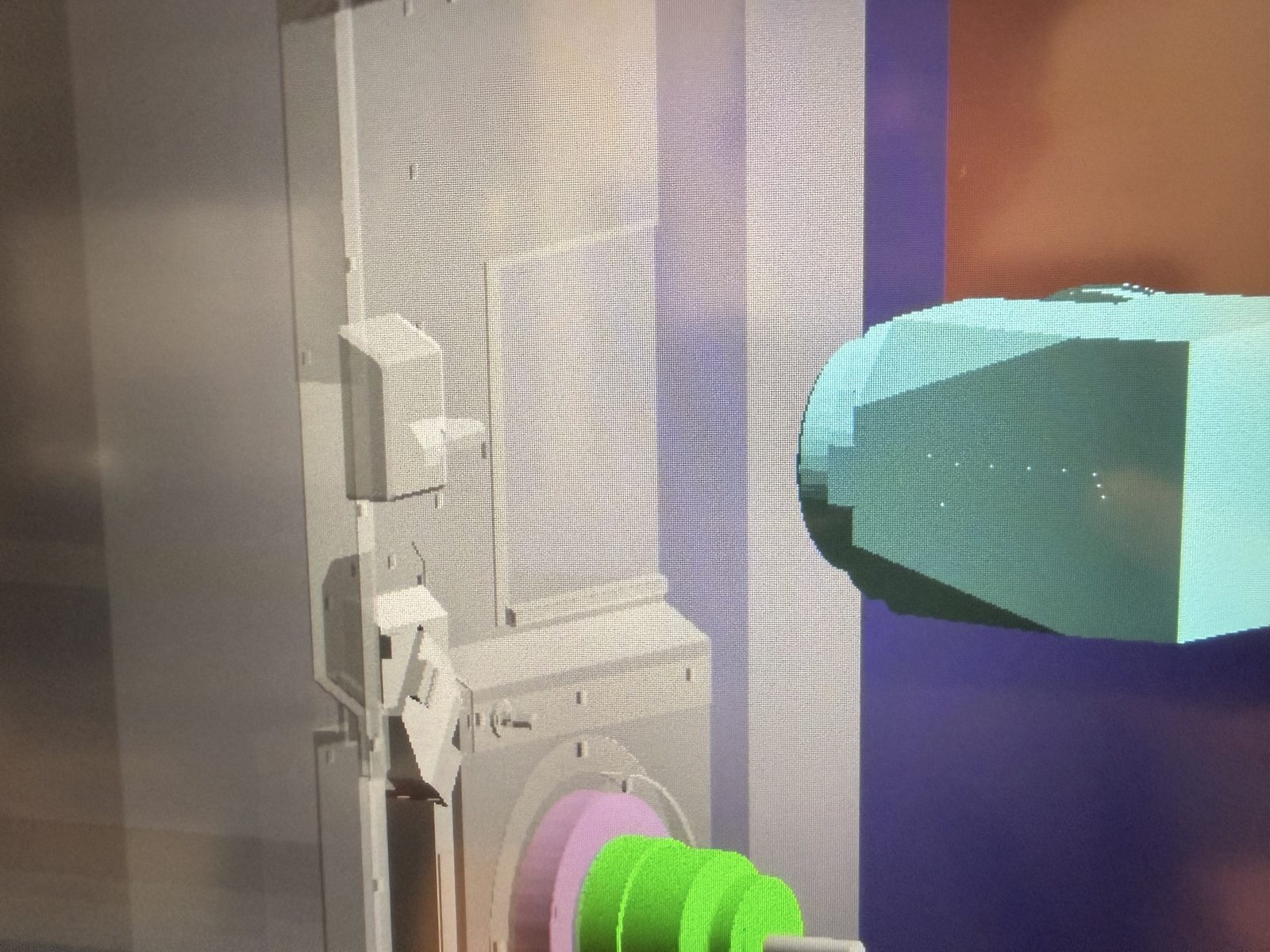
CAS collision avoidance protecting the BK Micro unit
Real-time collision detection for head clearance
Tool break detection cycle on the Multus
Kinematic simulator clearance verification
Workpiece Ejector — Available on Request
A pneumatic workpiece ejector with replaceable, customizable end pushers to match your workpiece. Two M-codes control the system — M230 to push out and M231 to retract — each monitored by proximity switches that confirm position was achieved, guaranteeing safe ejection and continued operations.
Reliable pneumatic push with adjustable speed and force via air pressure and flow regulator. Customizable end pushers to match any workpiece geometry.
M230 push out, M231 retract — both monitored by proximity switches that confirm each position was achieved. No guessing, guaranteed safe operation.
Includes 2 additional relays, pneumatic air valve, air pressure and flow regulator for speed and force adjustments. Everything you need in one package.
Customizable end pushers designed to match your specific workpiece. Quick to swap for different jobs — no redesign needed.
Self-contained assembly bolts on and off in minutes. Chip guard is removable for easy cleaning. Gosiger Service will be trained for proper efficient field installation, handling all M-code and relay mapping and wiring.
Works with 2-jaw and 3-jaw through-bore chucks (8"), as well as QG collet chucks. Chuck spacers can be used — A2-6 to A2-6.
Design Requirements
Draw bar assembly length and inside diameters are needed. Best results when you submit a CAD model of the assembly along with a couple of pictures.
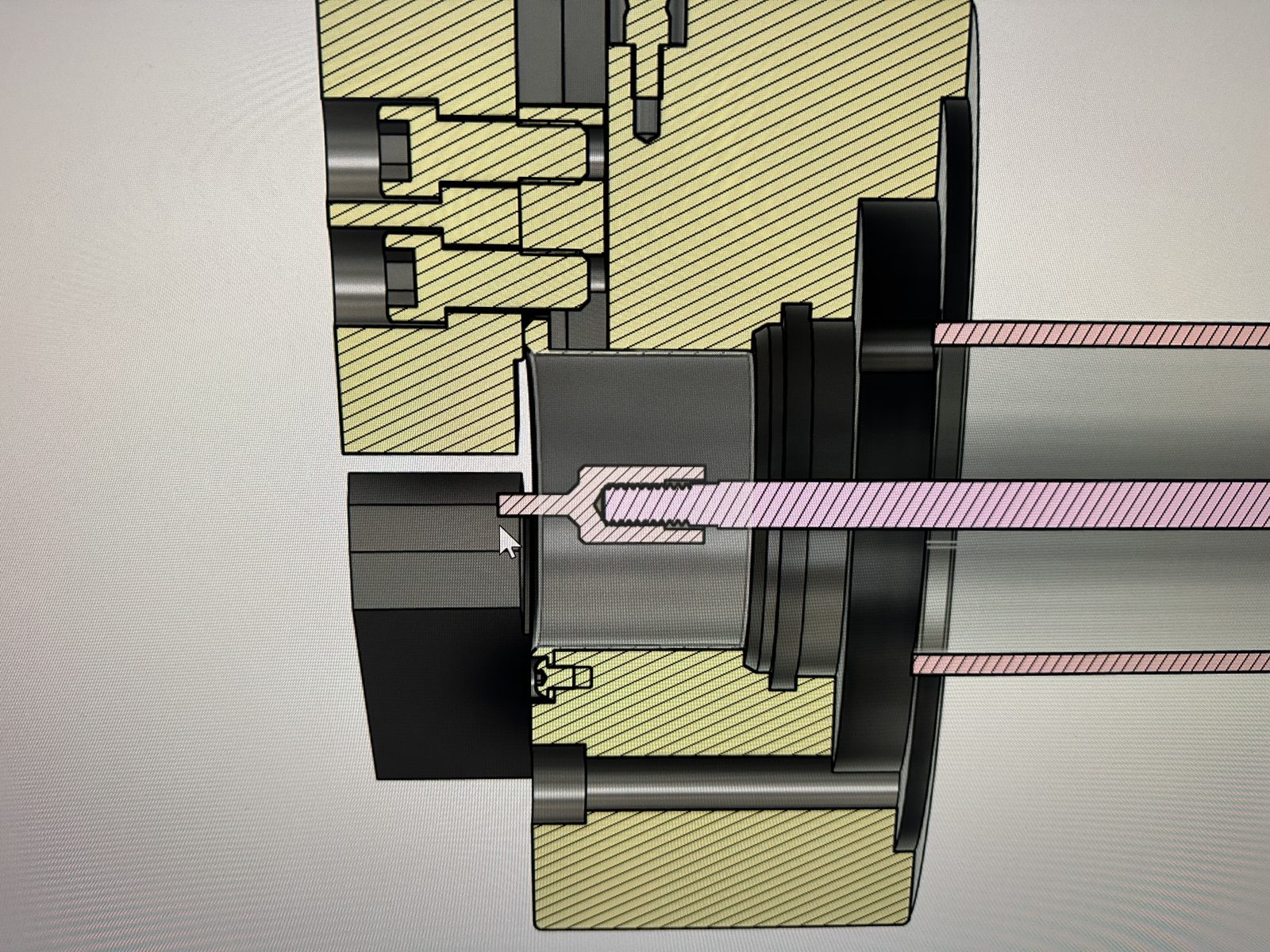
CAD cross-section — pneumatic ejector with customizable end pusher
Ejector installed in the chuck — ready for production
Workpiece ejection cycle — push out and retract
Pneumatic workpiece ejector live operation
Bar Load & Production Monitor
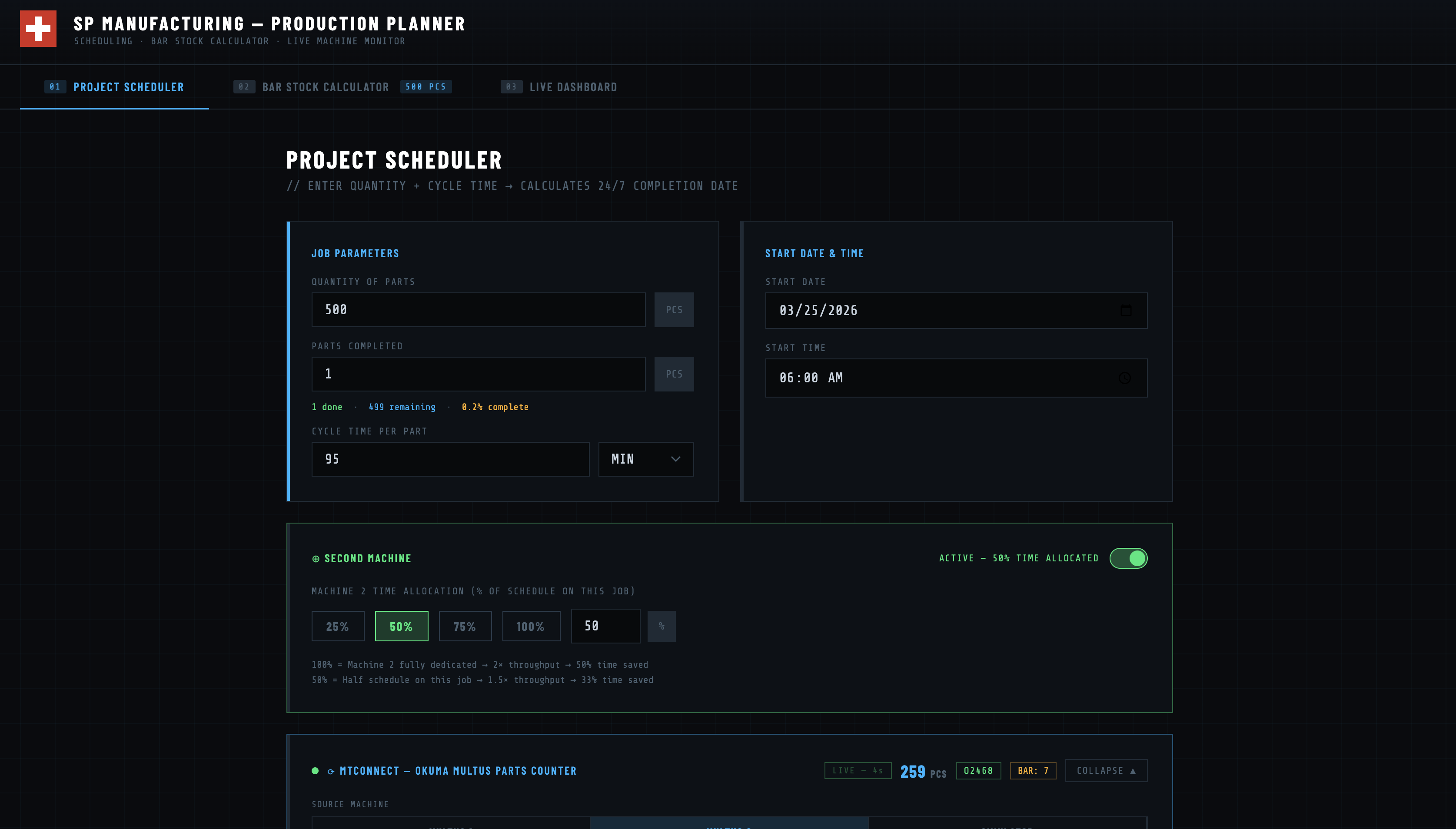
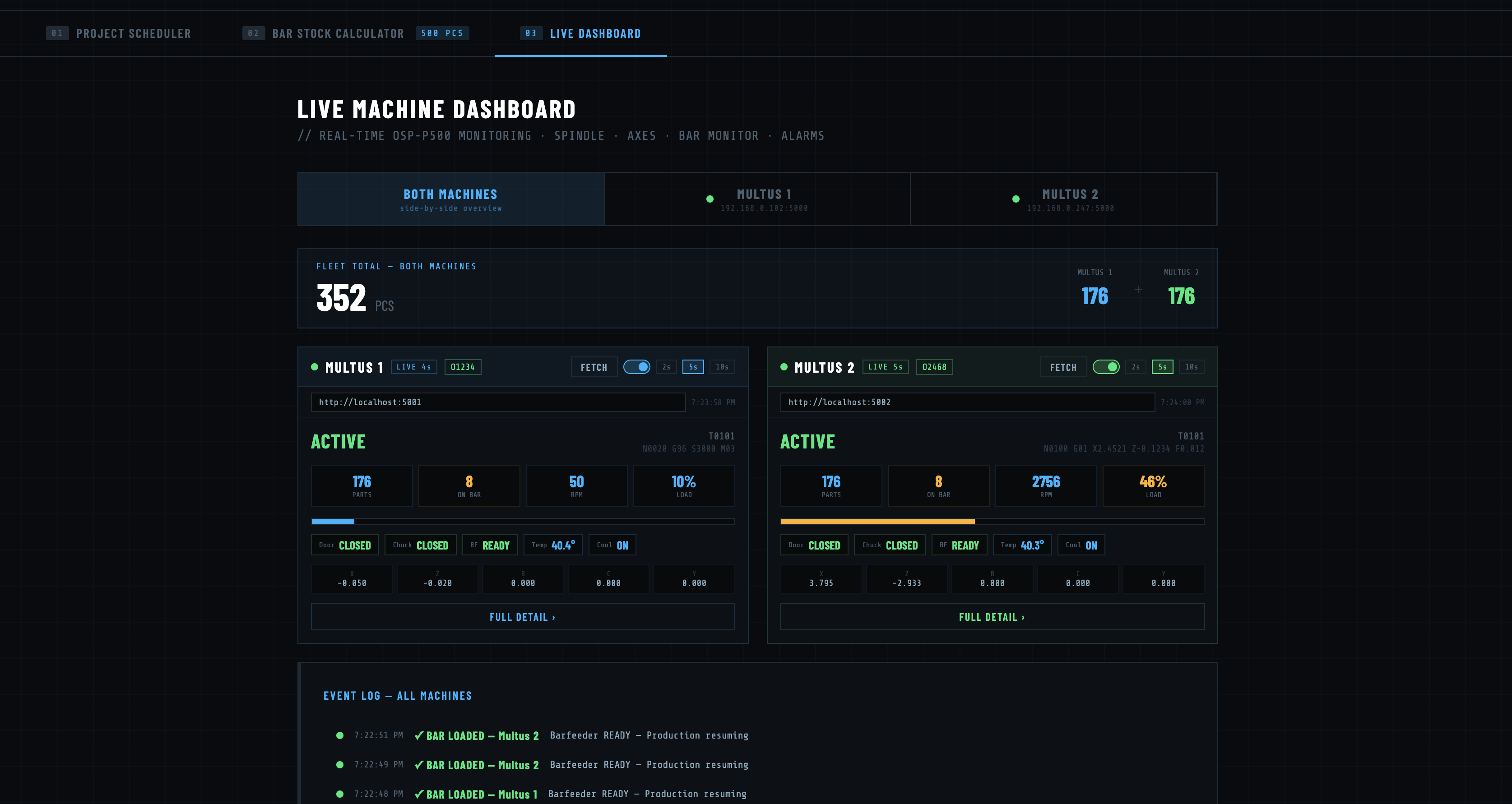
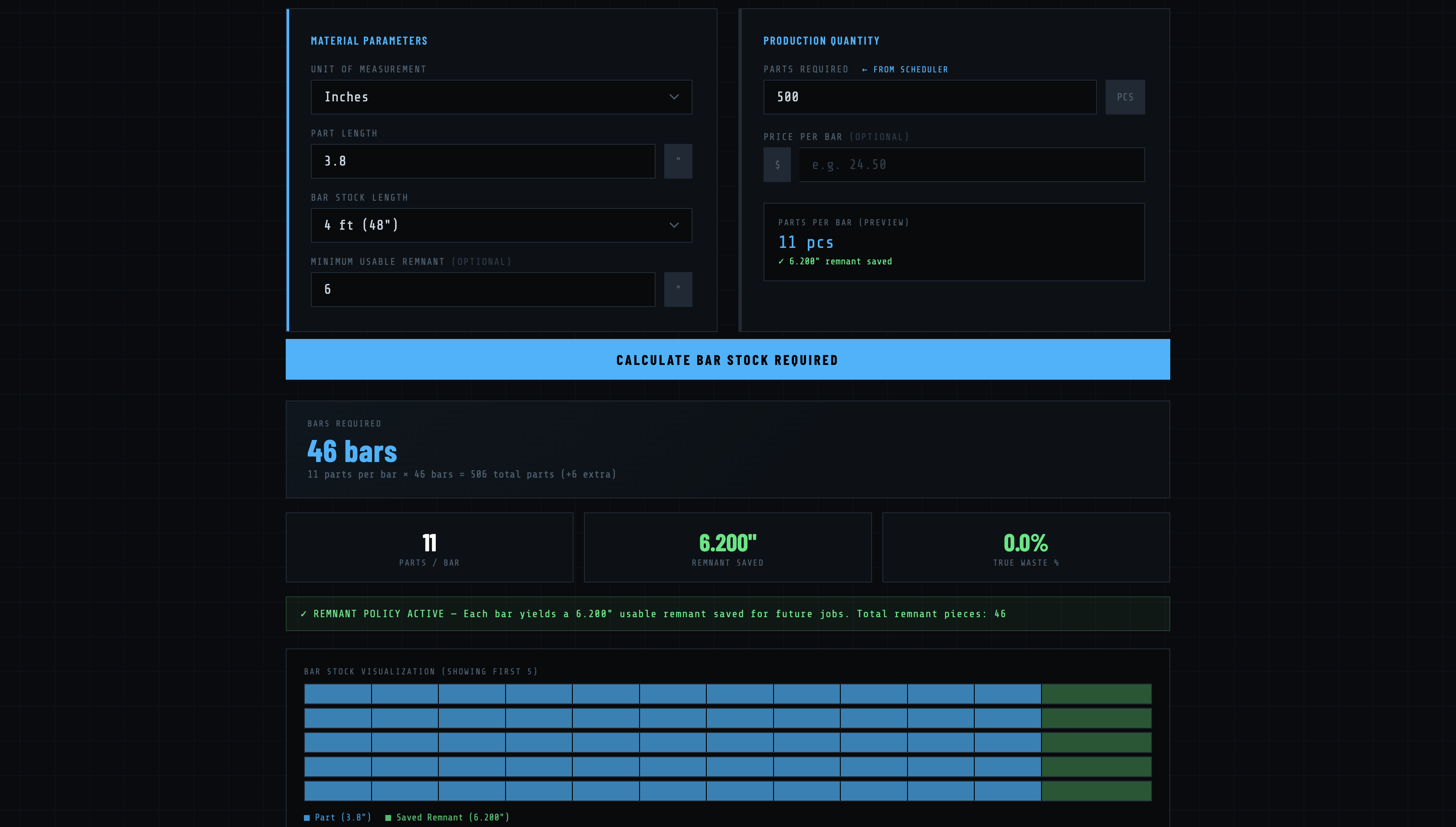
Monitor bar stock, plan production runs, and track cycle times — all from one dashboard.
Set job quantity, cycle time, start date, allocate a second machine, and connect live to MT Connect for automatic parts counting.
Real-time fleet monitoring — both Multus machines side by side with parts count, spindle RPM, bar load %, door/chuck status, and event log.
Calculate exact bar stock requirements — material parameters, remnant policy, and visual bar utilization chart.
Configure job parameters, set start dates, allocate machines, and connect to MT Connect for live parts counting.
Calculate bar stock requirements, monitor live bar consumption, and view projected completion dates on an interactive calendar.
Real-time MT Connect data simulator for testing bar load monitoring and machine connectivity before going live.
Why SP Tooling
These aren't tools designed in a conference room. They're built by someone who programs jobs in Fusion, sets up 5-axis parts, runs production, and inspects every thread. Every feature exists because it solved a real problem on a real shop floor.
Development Partners
Built for Autodesk Fusion, developed alongside Okuma and Gosiger.
Get in touch for pricing, a demo, or to talk shop. Built by a machinist — happy to talk machinist.
Contact SP Tooling 360 Apps